
Listed first in the lobby
The 6 WF Gaming titles the MEGA63 lobby shows first, with their lobby artwork.
 Fortune Arrives
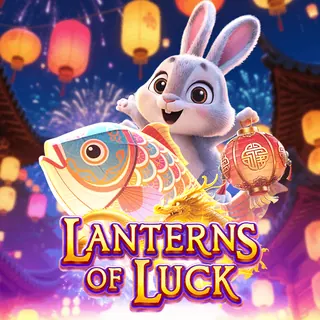 Lanterns of Luck
 Legendary Kick (Messi & Ronaldo)
 Money Lion
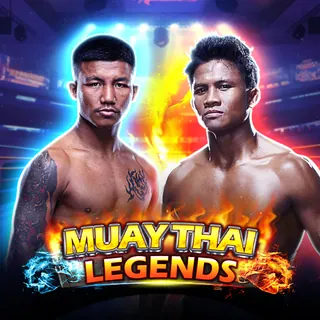 Muay Thai Legends
 AFL Star Kick
Every WF Gaming title in the MEGA63 lobby
Names are as the lobby shows them. Titles open from inside the MEGA63 lobby after sign-in; the launcher has no public per-game link. A title missing from this list may have been added after 28 September 2026 — the lobby itself is always current.
| Title | Category |
|---|---|
| AFL Star Kick | — |
| Arcane Mage | — |
| Avatar Splash | — |
| Avengers | — |
| Black pink | — |
| Blazing Fortune | — |
| Blue Armor | — |
| Chili Fire | — |
| Diamond Storm | — |
| Dinosaur World | — |
| Dolphin Ridge | — |
| Doraemon | — |
| Dragon’s Fortune | — |
| Elemental Queen | — |
| Eternal Dragon | — |
| Fishing Trip | — |
| Forest Adventure | — |
| Fortune Arrives | — |
| Fortune God Maxiways | — |
| Fortune’s Reign | — |
| Four Divine Beasts | — |
| Galaxy Guardians | — |
| General Mu Lan | — |
| Great Athletes | — |
| Imperial Chaise | — |
| Jaquar Blitz | — |
| Journey To The West | — |
| Lady Fortune 2 | — |
| Lanterns of Luck | — |
| Legend Of White Snake | — |
| Legendary Great Blue | — |
| Legendary Highway King | — |
| Legendary Jin Qian Wa | — |
| Legendary Kick (Messi & Ronaldo) | — |
| Legendary Panther Moon | — |
| Legendary Roma | — |
| Legendary Smash | — |
| Legendary Witch | — |
| Lightning Thor | — |
| Lightning Thor (Megaways) | — |
| Lion Dance Slot4D | — |
| Lucky Ace | — |
| Lucky Cai Shen | — |
| Lucky Cat Slot4D | — |
| Lucky Farm | — |
| Lucky World Cup | — |
| Macau Slot4D | — |
| Magic Genie | — |
| Mahjong Star | — |
| Mayan Elements | — |
| Miao! | — |
| Money Lion | — |
| Monster Fight | — |
| Muay Thai Legends | — |
| Mythical Creatures | — |
| Ninja Strike | — |
| Paris Of The East | — |
| Phoenix Slot4D | — |
| Prosperity 777 | — |
| Rise Of Mulan | — |
| Rock of Multiplier | — |
| S.T.U.N. | — |
| Slam Dunk King | — |
| Slot4D | — |
| Sorcerers Duel | — |
| Sun God | — |
| The Legend Of Khan | — |
| Tiger Slot4D | — |
| Tiger’s Fortune | — |
| Wealth of the Ox | — |
| Wild Valley | — |
| WWE Championship | — |
| WWE Combo Wins | — |
| WWE Crazy Wild | — |
| WWE Wild Wins | — |
| You'll Rich | — |
How to open a WF Gaming game
- Sign in at mega63.com — or register with a Malaysian mobile number; no deposit is needed to open an account.
- Choose the category (Slot) and the WF Gaming icon.
- Pick a title from the list above. It loads in the browser tab.
- Fund the balance from RM5 with Touch ’n Go, DuitNow or FPX; every studio shares the same balance.
Questions about WF Gaming at MEGA63
How many WF Gaming games does MEGA63 have?
76 WF Gaming titles were listed in the MEGA63 lobby when this page was checked on 28 September 2026. The lobby is the live list; titles are added and removed by the studio and the operator.
Do I need to download anything to play WF Gaming games at MEGA63?
No. WF Gaming games open in the browser from the MEGA63 lobby on a phone or a computer. One MEGA63 account and one ringgit balance cover every studio.
What is the minimum deposit to play WF Gaming games?
RM5, by Touch ’n Go eWallet, DuitNow, GrabPay, Boost, FPX or bank transfer. The minimum withdrawal is RM50.
Where do I see the rules of a WF Gaming game?
Inside the game: open its information panel for the rules, paytable and bet settings before the first spin. Settings differ between titles from the same studio.
Before you play
Open the game's information panel for the rules, paytable and bet settings; the same studio uses different settings in different titles. Outcomes are random — a familiar name, a lobby position or a previous result says nothing about the next spin. Set a spending limit before you start and stop when you reach it. If a game will not open, note the title, device and error message for support rather than depositing again.